Restaurant management system
Poster POS implementation
The register, inventory, recipe cards and finances in one window. Here the system is set up for the venue, the menu is entered, the staff is trained — and the line stays open after launch.
- Turnkey
- from setup to the first receipt
- Offline mode
- the register works without internet
The system
A register on a tablet, the books in a browser
The cloud instead of a server
The back office opens in a browser on any computer. No server stands in the venue waiting to be looked after — the data lives in the cloud.
The register is a tablet
iPad, Android or Windows. The internet drops — the register keeps printing receipts and syncs when the connection returns.
The owner gets an app
Revenue, receipts and stock levels on a phone. A shift closes — a notification arrives with the day's figure.
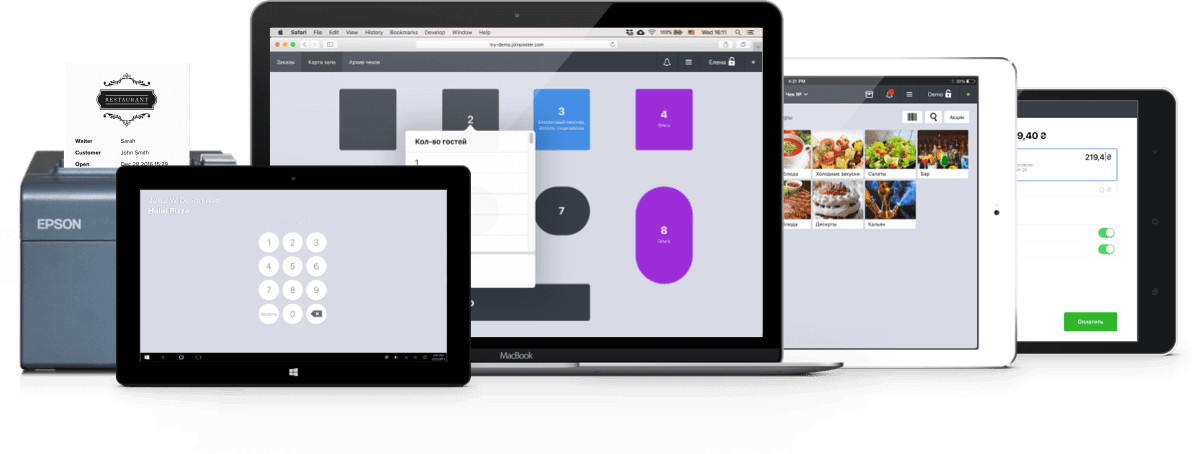
The subscription is from ₴540 a month, billed annually; the price is Poster's to set — current rates are at joinposter.com. The implementation work is priced separately, and it is what this page is about.
Inventory
The stock counts itself
Accounting that never adds up in a notebook or Excel: a sale writes off its own ingredients, supply invoices are entered from a photo, and an inventory check shows at once what is missing.
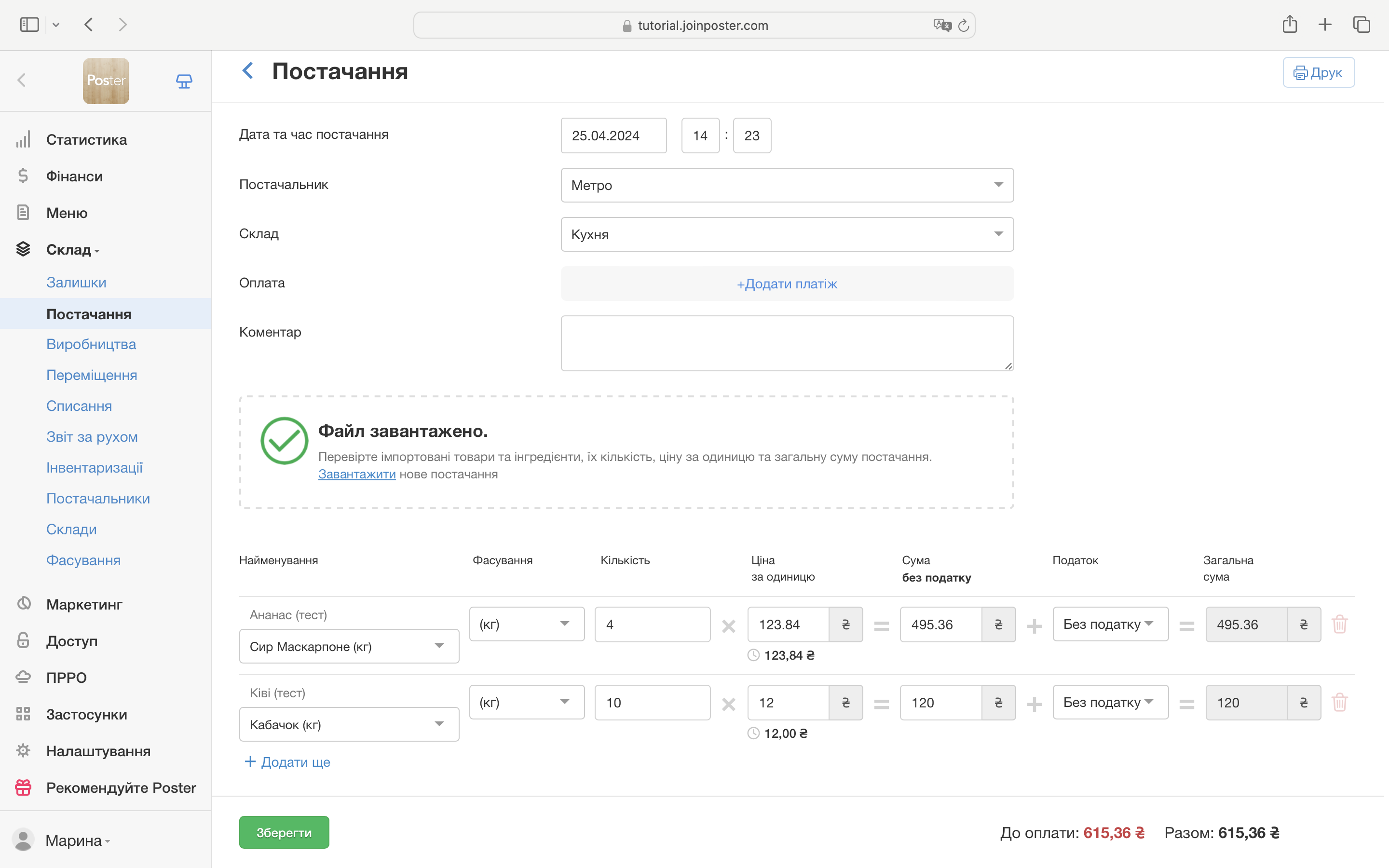
Supply invoices without typing
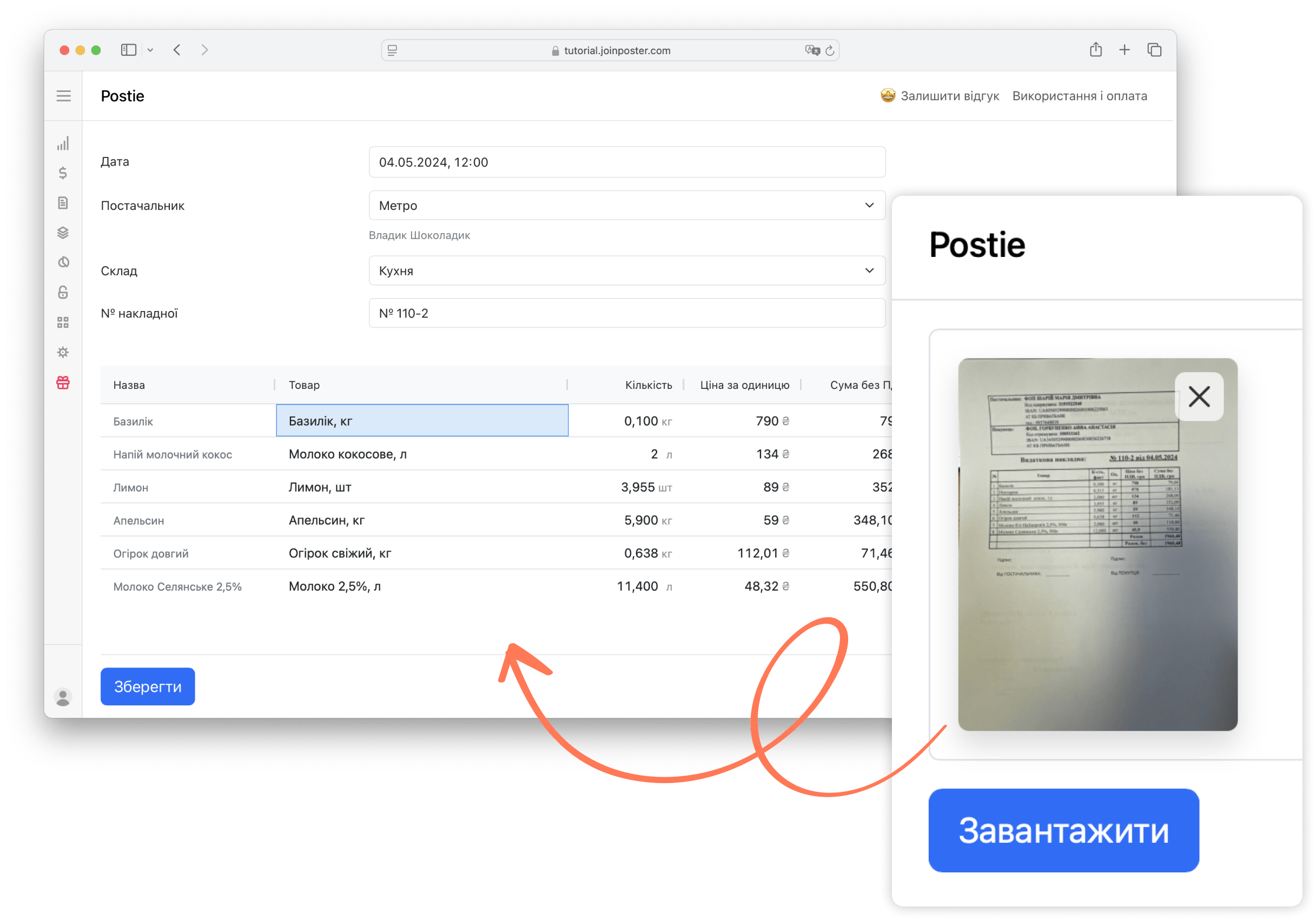
A supply is entered by importing an Excel file or photographing the invoice: the AI assistant recognises the items, quantities and prices — what is left is to check and save.
Written off the moment it sells
The receipt closes — the ingredients on the recipe card are deducted from stock by themselves. The rules are configurable: a lemon in a salad writes off from the kitchen, a lemon in a cocktail from the bar.
Stocktaking with a scanner
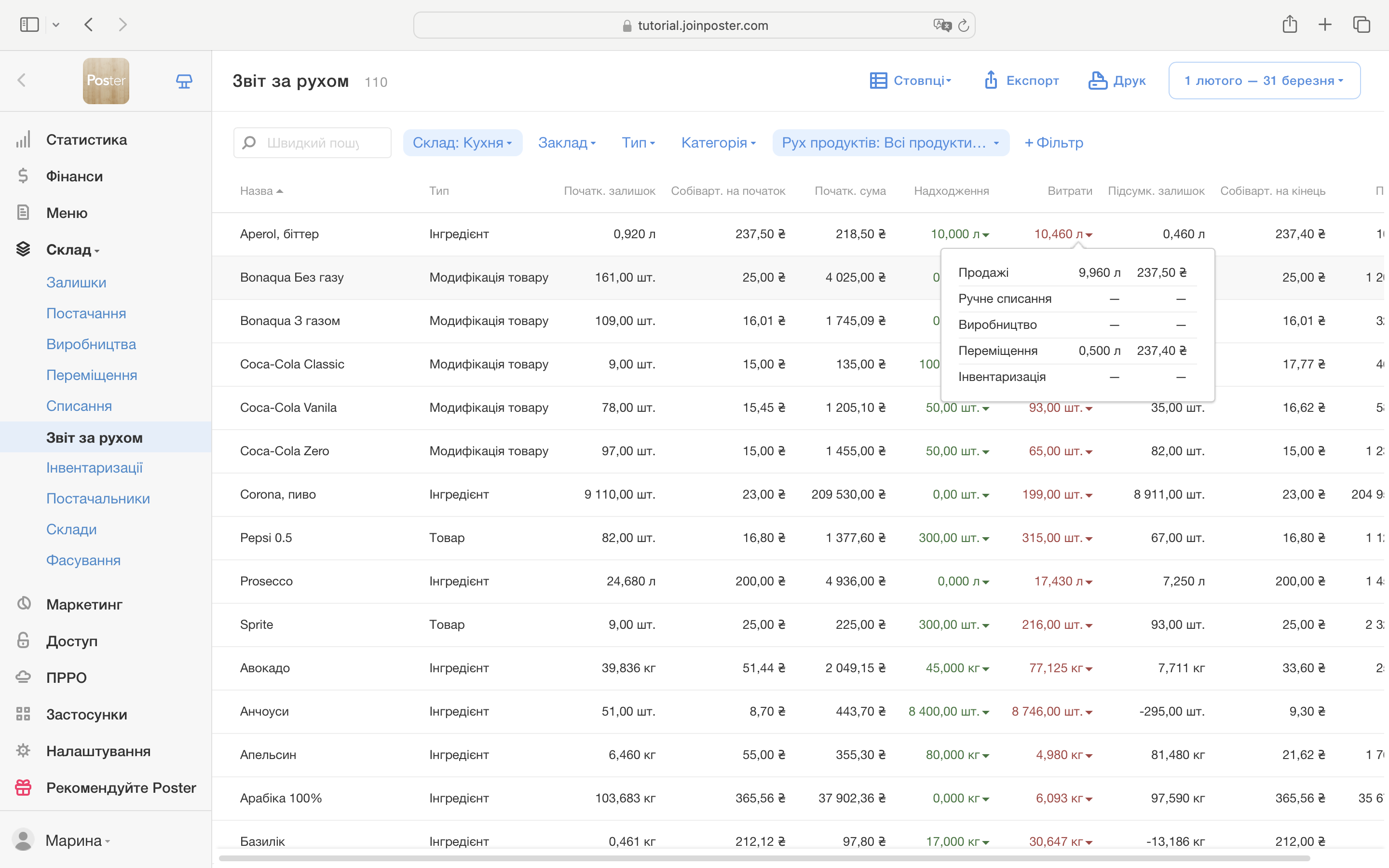
The count runs with a barcode scanner, and the system reconciles fact against records itself. Shortages and surpluses do not dissolve — they land in the profit report.
Minimum stock levels
Every ingredient has a threshold. Fall below it and a reminder arrives while the item is still on the menu — not once it is already gone.
Preparations and semi-finished goods
Production keeps its books by preparations: dough, sauces, pastry baked ahead. Stock is counted both as raw ingredients and as what is ready.
Butchering acts
A carcass is broken into parts, yesterday's bread becomes croutons — reprocessing is recorded as an act, and the cost of every part is computed honestly.
Transfers between storages
Kitchen, bar, storeroom — there can be several storages, and movement between them takes a couple of clicks, not a backdated line in a notebook.
The menu
Recipe cards that do their own costing
Prep losses included
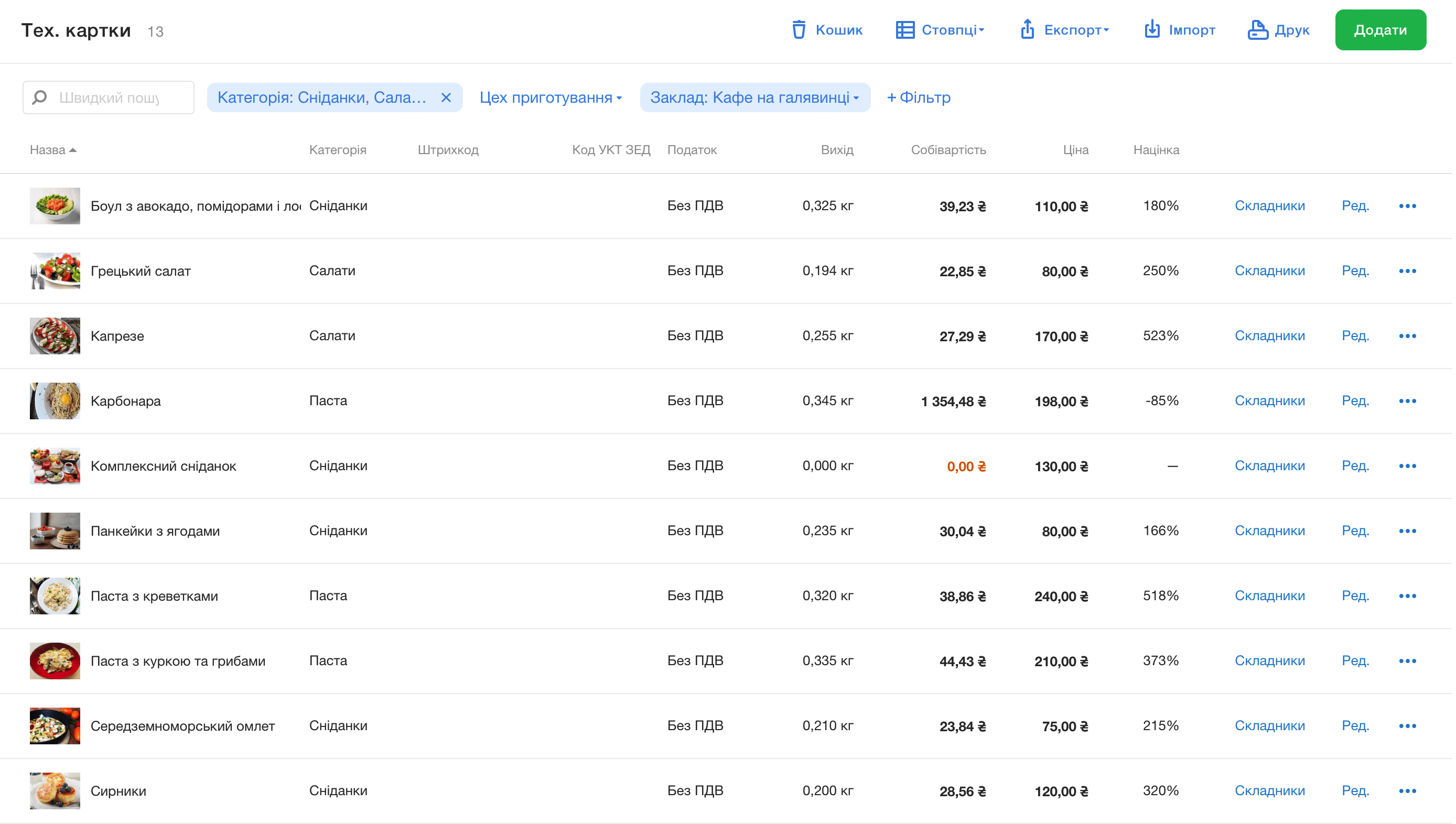
Peeling, frying, defrosting — processing losses are built into the recipe card, and a dish's yield is computed from fact, not from raw weight.
A live food cost
A delivery arrives at a new price — the cost of every dish recalculates itself, weighing the old prices with the new. Each dish's margin is visible without a calculator.
Modifiers
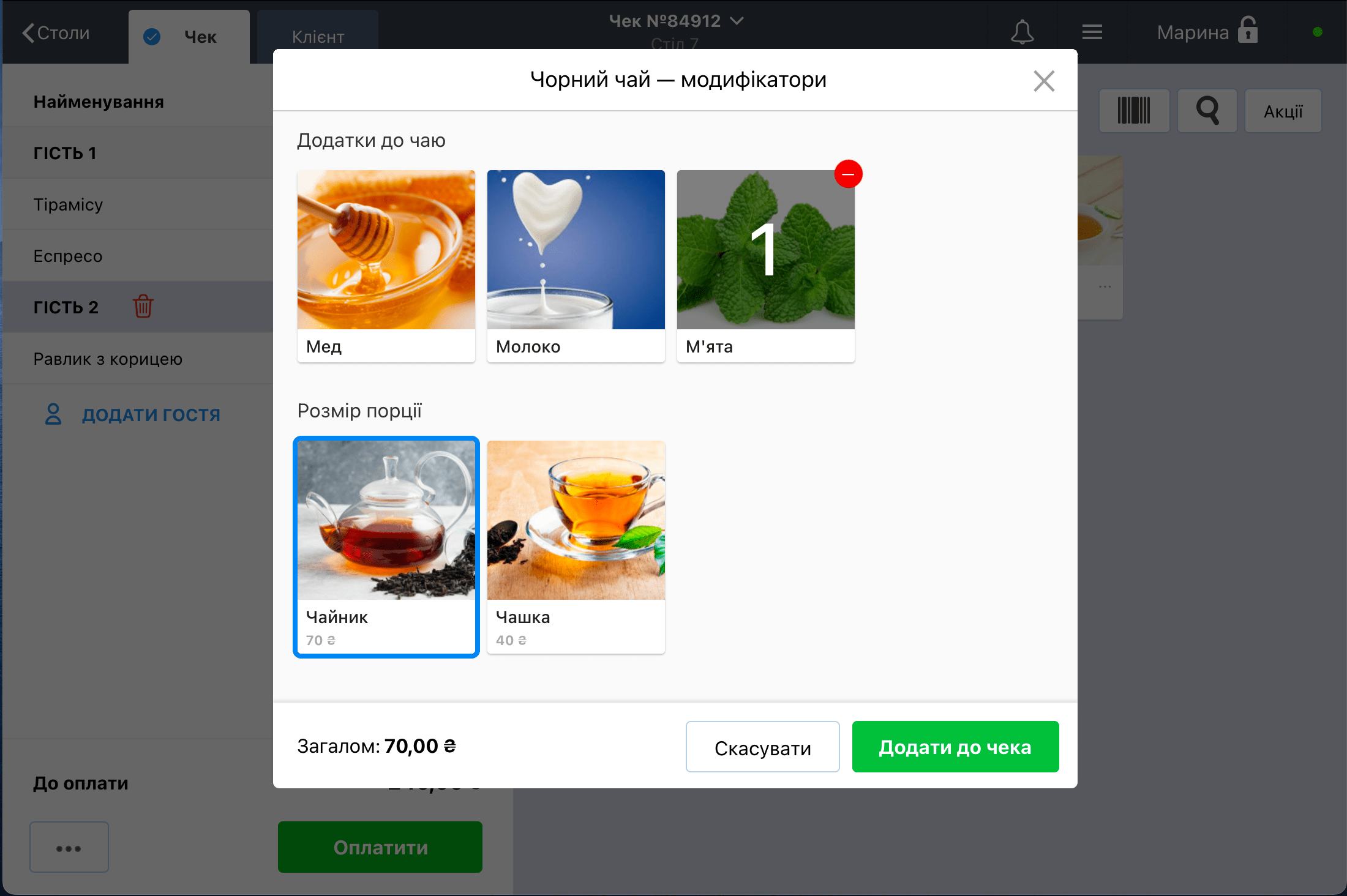
Toppings, doneness, sauces, portion size — the guest chooses, the waiter does not dictate to the kitchen. Modifiers are tied to recipe cards, so the write-off is honest too.
Selling by weight
For steaks, pastry and cakes a price per 100 g is set: the register takes the weight and computes the total itself.
Prices change from the back office
An edit in the list — and within seconds the prices update at the register. No menu reprints, no walking from terminal to terminal.
Backdated corrections
Started selling before the ingredients were entered? A recipe card can be edited retroactively, and the write-offs for the past days recalculate.
The floor
A register the staff learns in a shift
Orders taken at the table
The mobile waiter is an app on a phone: the order is taken at the table and is already printing in the kitchen. No notepad, no extra trips.
A kitchen without paper
The kitchen display shows the cooks their orders: what to make, in what sequence, with what comments. Ready — and the waiter gets a notification.
No internet — still working
The connection drops — the register keeps taking orders and printing receipts, and when the internet returns everything syncs on its own.
A floor plan with reservations
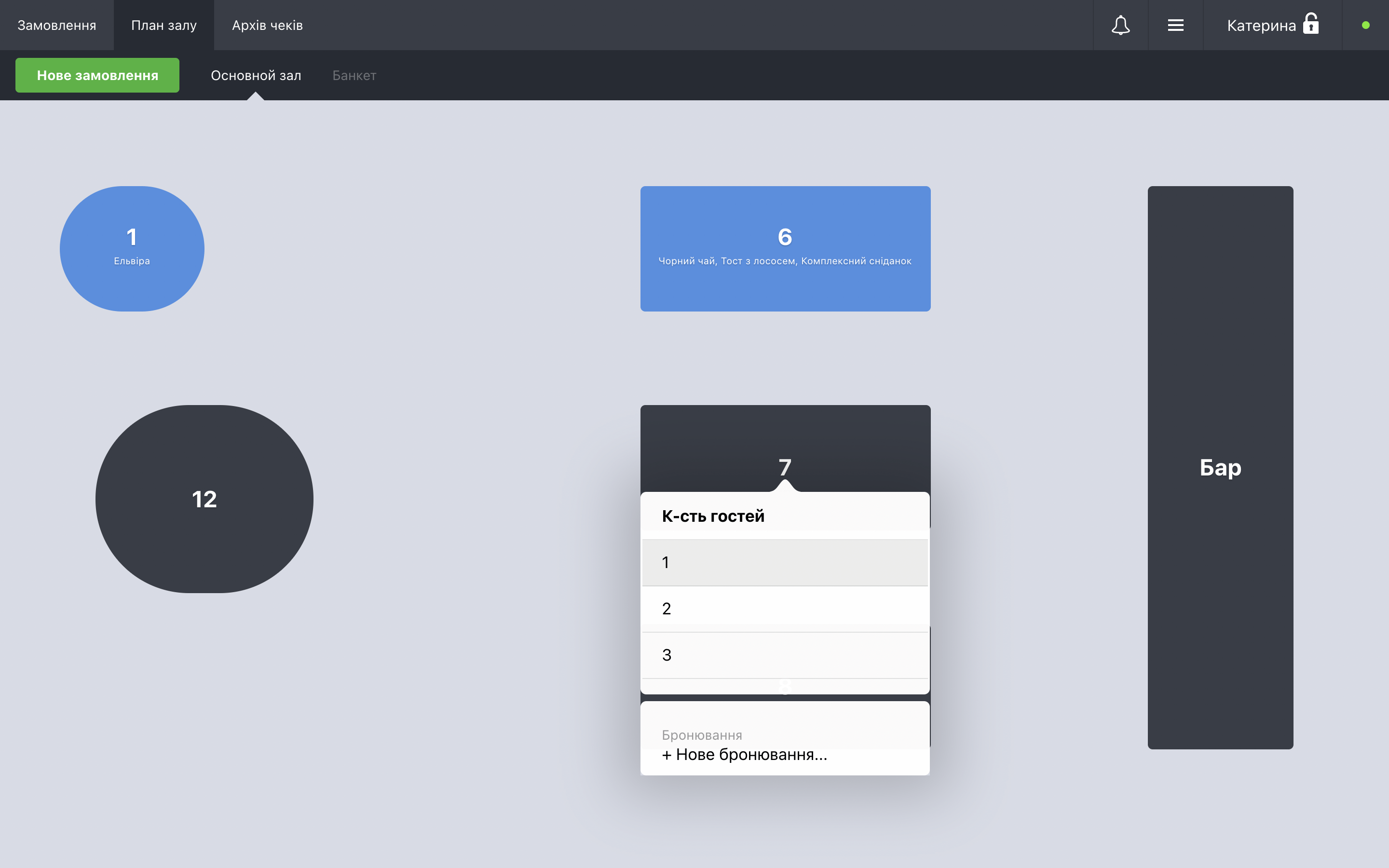
The tables on screen stand as they do in the room. A booking takes a couple of taps and is visible to everyone on the shift.
Risky operations need a password
Cancelling a receipt, a discount, a refund — only with the administrator's confirmation. And the report shows who entered the password, and when.
The bill splits
A party paying separately? The receipt divides between guests, and payment is taken in cash, by card, or both at once.
The money
Revenue arrives on the phone by itself
Cash shifts
A shift opens and closes at the register, and the money reconciles per shift — not at the end of the month.
Profit without an accountant
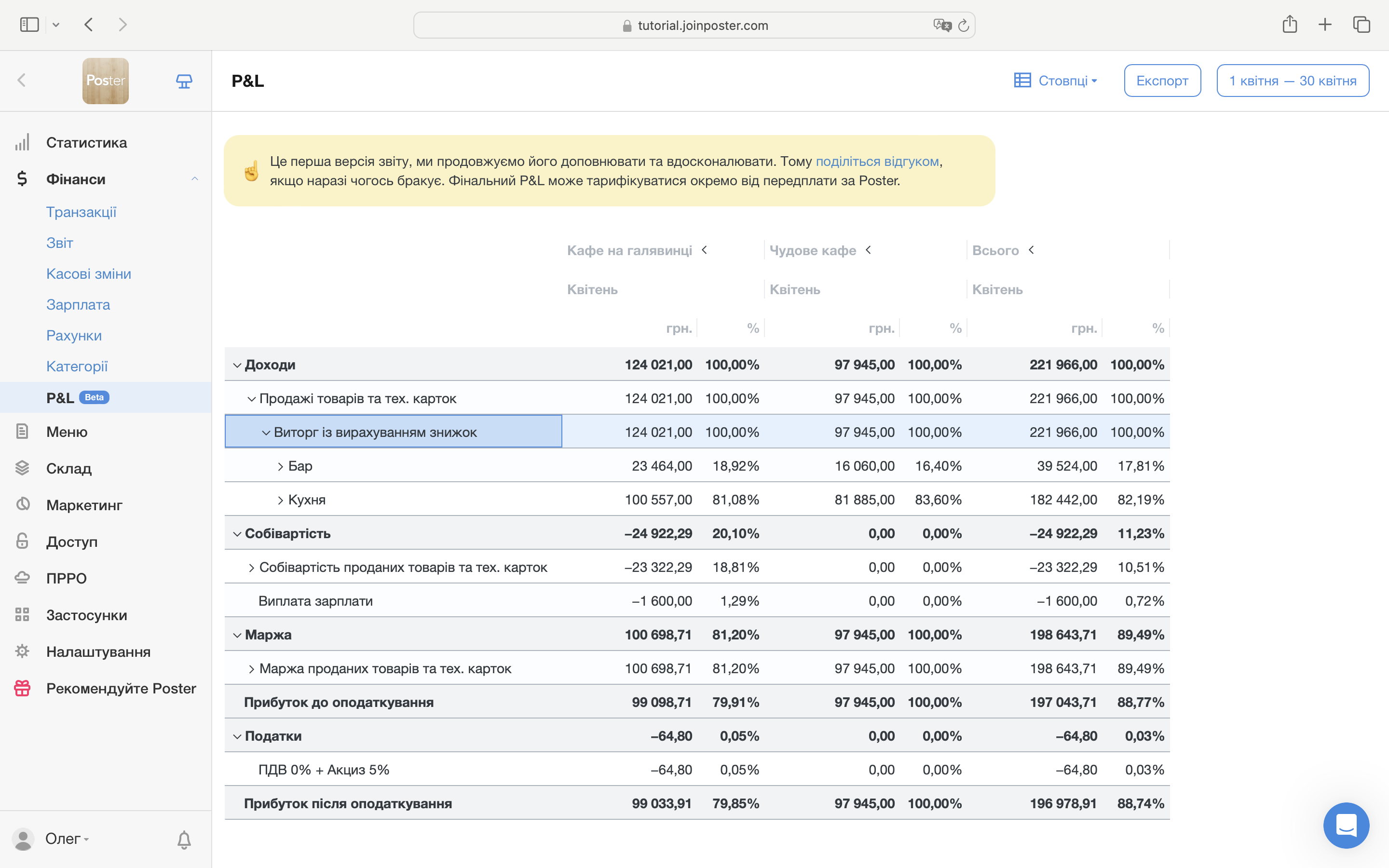
The profit and loss report assembles itself — from sales, supplies and expenses. Revenue, cost and margin are visible period by period.
Payroll
Rates, shifts, percentages of sales — computed in the system. Hours worked are recorded in the same place as the sales.
ABC analysis of the menu
Which dishes feed the venue and which only take up space in the menu — the report shows it. Menu decisions are made on figures.
Shift closed — the figure arrives
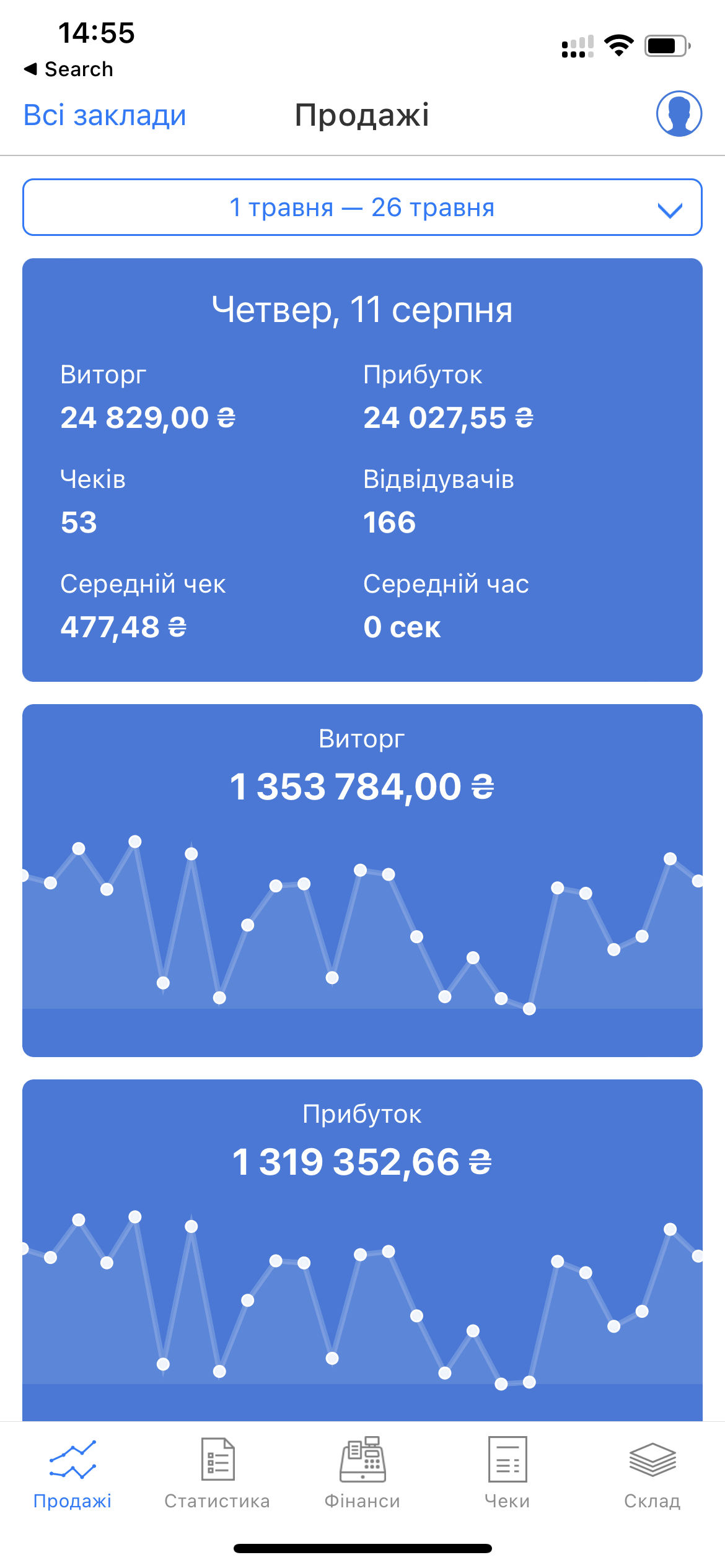
Poster Boss sends a notification when a shift closes, with the day's revenue. Stock and receipts are on the phone too, from anywhere in the world.
Ukraine
PRRO, banks and delivery all plug in
PRRO and fiscal receipts
The software fiscal registrar is set up as part of the implementation: receipts are fiscalised the way the law requires, with no extra hardware.
Bank terminals
PrivatBank, PUMB or A-Bank acquiring connects to the register: the amount goes to the terminal by itself, with no manual entry and no mistakes over change.
Glovo and Bolt Food
Aggregator orders drop straight into the register and write off stock like any other order: no second tablet, no retyping by hand.
Telephony and loyalty
Calls, loyalty programs and bookkeeping connect from Poster's integrations catalogue — whatever the venue needs is installed during the implementation.
How it runs
Six steps to the first receipt
Brief
What the venue is, how many locations, what size the menu is and what hurts now. The form below is enough to name the scope of work and the price.
Account setup
The venue, storages, taxes, staff permissions, registers — the system is assembled around how the venue actually works.
Menu and recipe cards
The full nomenclature is entered: dishes, recipe cards with losses, modifiers, preparations. The longest part of the work — and the most valuable.
Hardware and fiscalization
Tablets, receipt printers, a cash drawer, a scanner — chosen to the budget and configured. The PRRO and the bank terminal happen at this step too.
Training
Waiters and bartenders learn the register, the administrator learns the back office: supplies, stocktakes, reports. It happens in the venue, on its own menu.
Launch and support
The first day on the system is accompanied. After that — recipe card corrections, fine-tuning and answers: the venue is not left alone with the system.
Delivery
Website orders land straight in the register
A ready-made site from Poster
Poster Shop is an ordering site whose menu is synced with the register: prices and the stop list update by themselves, cards are paid online.
A QR menu on the table
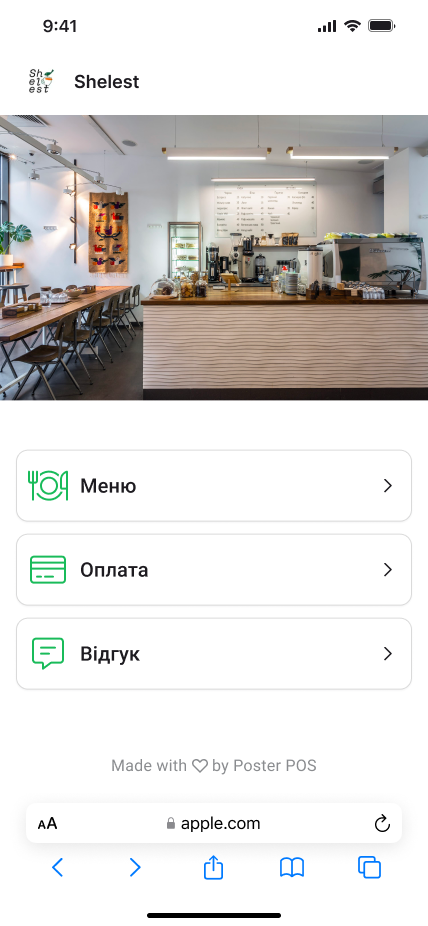
The guest scans a code and sees the menu with photos and prices — the same one the register holds, with no reprints at every price change.
Or a site of your own
When the venue needs its own delivery website, that is separate work, described on the online stores page. Its orders arrive in the register all the same.
Boundaries
Whose work is whose
The subscription goes to Poster
The venue pays Poster for the system directly, at their rates, from its own account. Nothing here marks up the subscription or resells it.
Two supports, both alive
Round-the-clock support of the system itself is Poster's. Implementation questions — recipe cards, the books, integrations — are answered here, by the person who configured them.
The system is not rebuilt
Poster is a finished product: how it works inside is its developer's decision. An implementation gets the most out of the system — it does not change its code.
Experience
Restaurants and hotels, already in the archive
- Testo Cafe restaurant interior photography2020
- Pizza photography for the Testo Cafe restaurant2020
- Bavaria Grand Hotel website2020
- Etoile Hotel website2019
- Soich Park holiday resort website2017
- Urzuf Holiday Home website2014
- Rayskiy nightclub website2012
These are websites and shoots for venues — implementations do not go on display: their result lives in the owner's figures. Behind this page are implementations from a coffee shop to a restaurant with a full stockroom, and the names are not named: a venue's books are not a public showcase. But the kitchen, the floor and the register are familiar here from more than screenshots.
Price
The menu names the price, not a rate card
The cost of an implementation follows the size of the menu, the number of locations and the scope of work: entering three hundred recipe cards is not the same as fifty, and a chain is not the same as one coffee shop. A figure printed here would be invented; the one quoted against your brief is not.
Send the brief below with the size of the menu — the scope of work, the timeline and the price come back against it. The estimate costs nothing.
Questions
Before you write in
Start
Fill in the brief
The type of venue, the number of locations and a rough menu size — enough for the scope of work, the timeline and the price to come back. The consultation costs nothing.